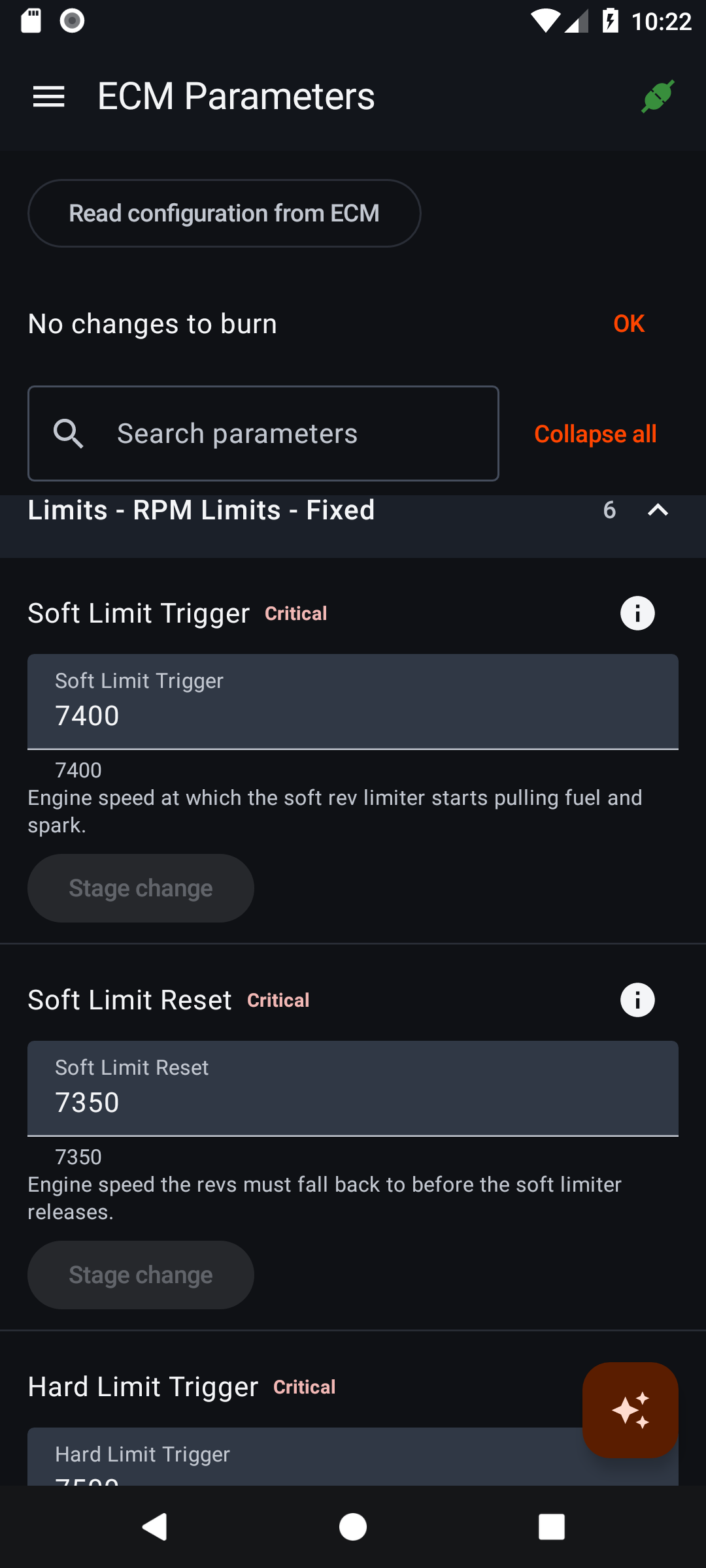
 View ECM Parameters ↗
Settings with explanations.
Search named ECM parameters, understand their effects and stage changes in the app. Review old and new values before writing.
 BUELLTUNE
Get updates
Built for Buell. Built for what’s next.
Live data, diagnostics and tuning tools for your Buell, with a context-aware AI garage buddy built in.
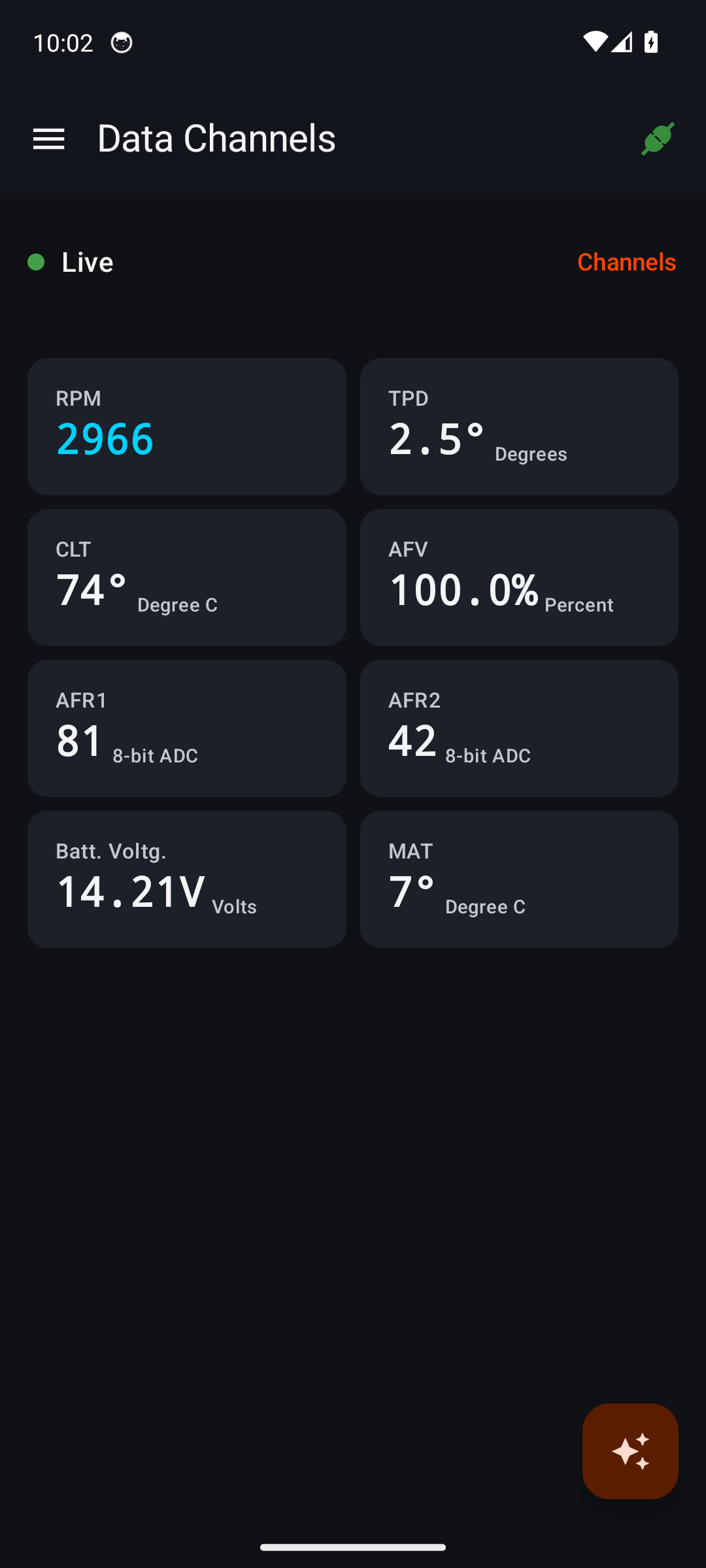
ANDROID FIRST. iOS is next.
Classic Bluetooth BLE USB serial Check your setup ↗
The next chapter
ECMDroid was part of the toolkit. When it stopped working for riders, the need didn’t disappear.
BuellTune brings that familiar diagnostic workflow into a new app: a modern interface, deeper tools and a path to iOS, a platform ECMDroid never reached. Not just a new coat of paint. A new chapter for the bikes we keep riding.
You shouldn’t have to leave the app, copy a reading and start explaining your bike from scratch.
BuellTune brings AI into the diagnostic workflow. Open the assistant alongside the screen you’re using, ask about what you see, then get back to the job.
Bring your own API key (BYOK). Choose a supported AI provider or connect a supported self-hosted server. AI is optional; provider usage charges may apply. Messages and relevant ECM data go to the provider or server you configure.
AI setup and privacy details ↗FROM RECORDED DATA TO A REAL CONVERSATION
Log Player is paused at 2:58 in a BUEIB recording. The visible readings are 5,052 RPM, 74.6° throttle, 105°C engine temperature and 100% AFV. The assistant opens over the player, keeping that recorded context.
The rider selects “What’s happening here?” and follows up with “What do the readings mean? Include the values.” The assistant uses the app’s read-only tools to inspect recorded channels and error codes, then explains the values in a table.
The rider then asks for a short, three-sentence summary without a table.
Closing the assistant returns to the same playback position. This demonstrates the conversation, not a validated diagnosis. AI interpretations can be wrong and are not a substitute for mechanical inspection.
From the first warning light to your next calibration, see what’s happening inside your ECM.
Real tools, not just a dashboard. Explore them with the built-in simulator before connecting your bike. Select a screen for a closer look.
View ECM Parameters ↗
Search named ECM parameters, understand their effects and stage changes in the app. Review old and new values before writing.
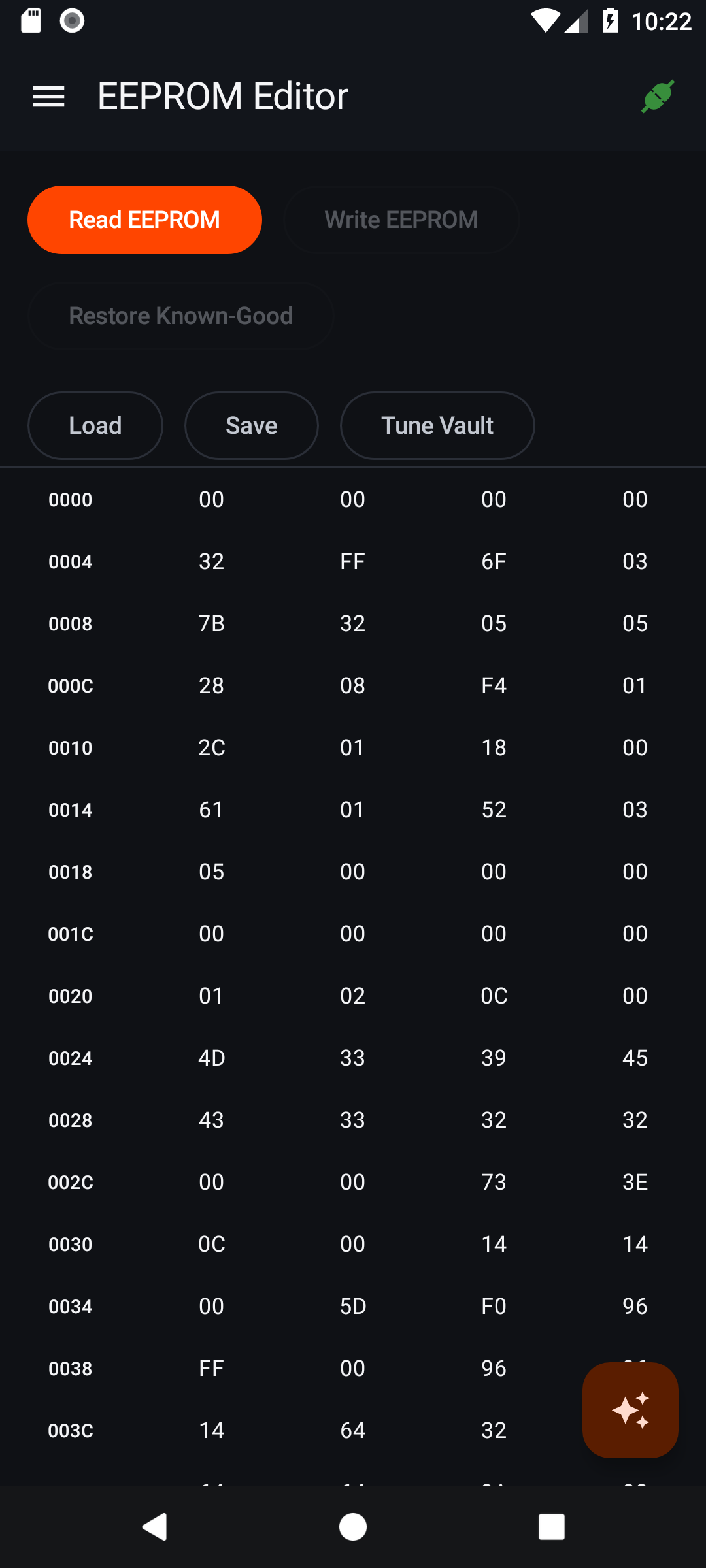 View EEPROM Editor ↗
Inspect the raw EEPROM, select a byte to see its details, and import or export calibration files. Advanced edits stay in your hands.
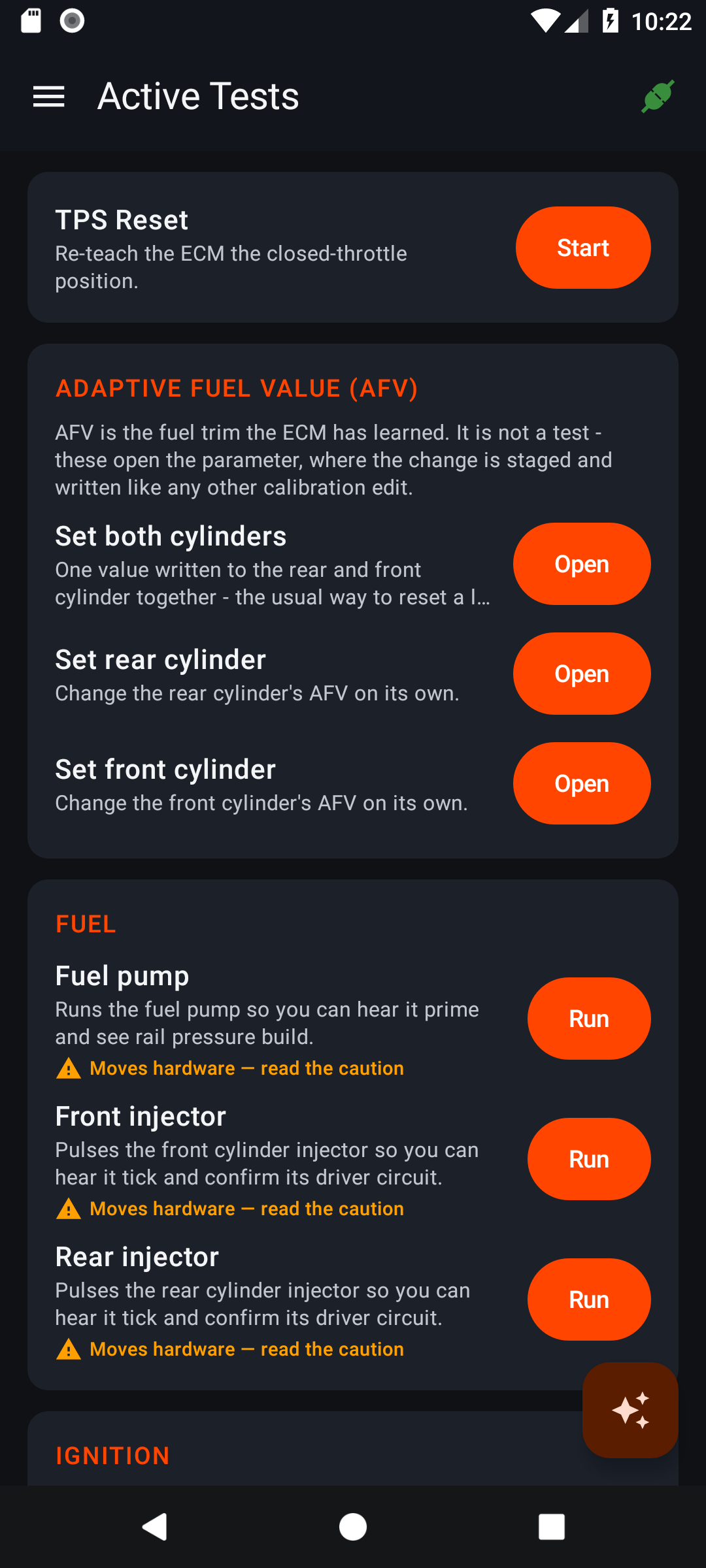 View Active Tests ↗
Access supported pump, fan, injector and ignition tests, plus a guided TPS reset. Review the cautions before actuating real hardware.
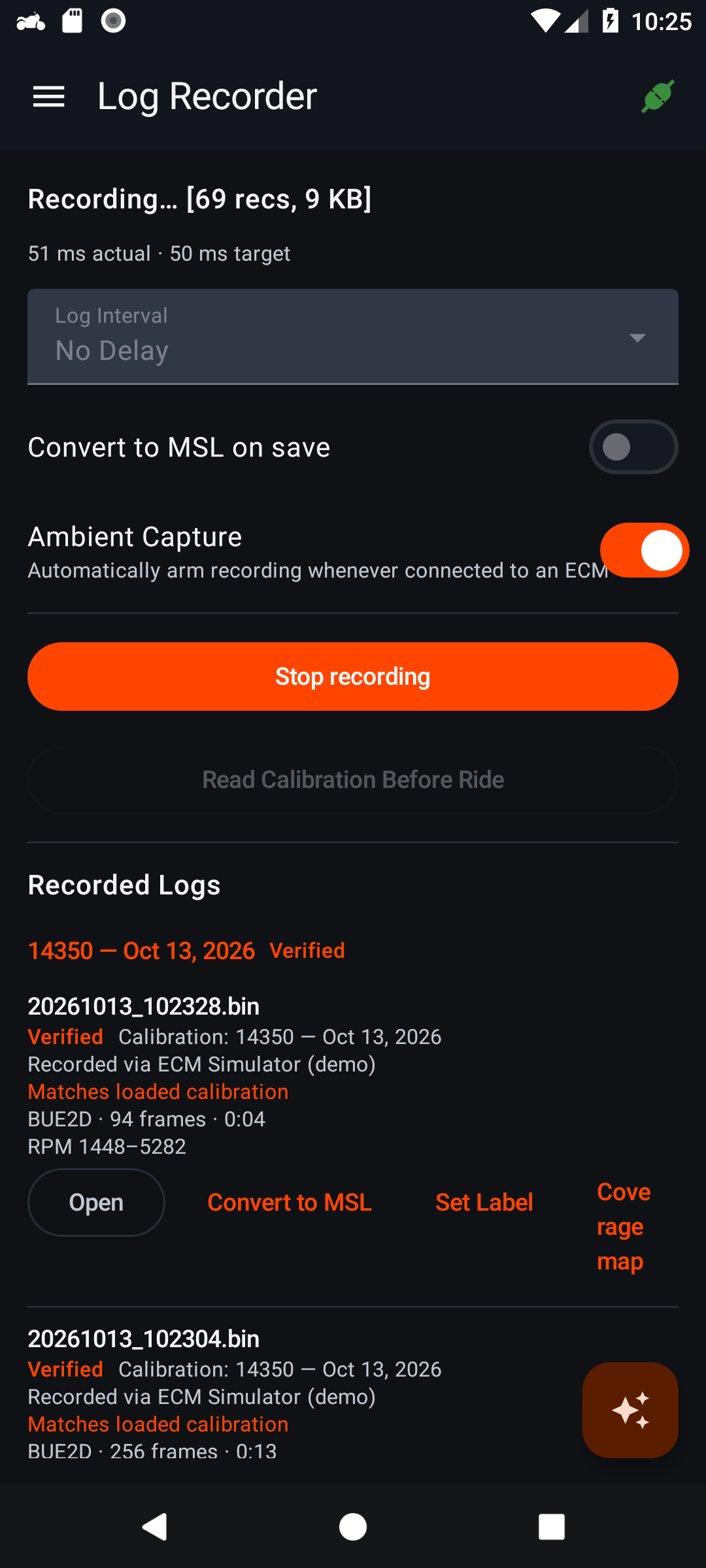 View Log Recorder ↗
Save ECM sessions at your chosen interval, replay recorded readings in the app, or export MegaLogViewer-compatible MSL files for deeper review.
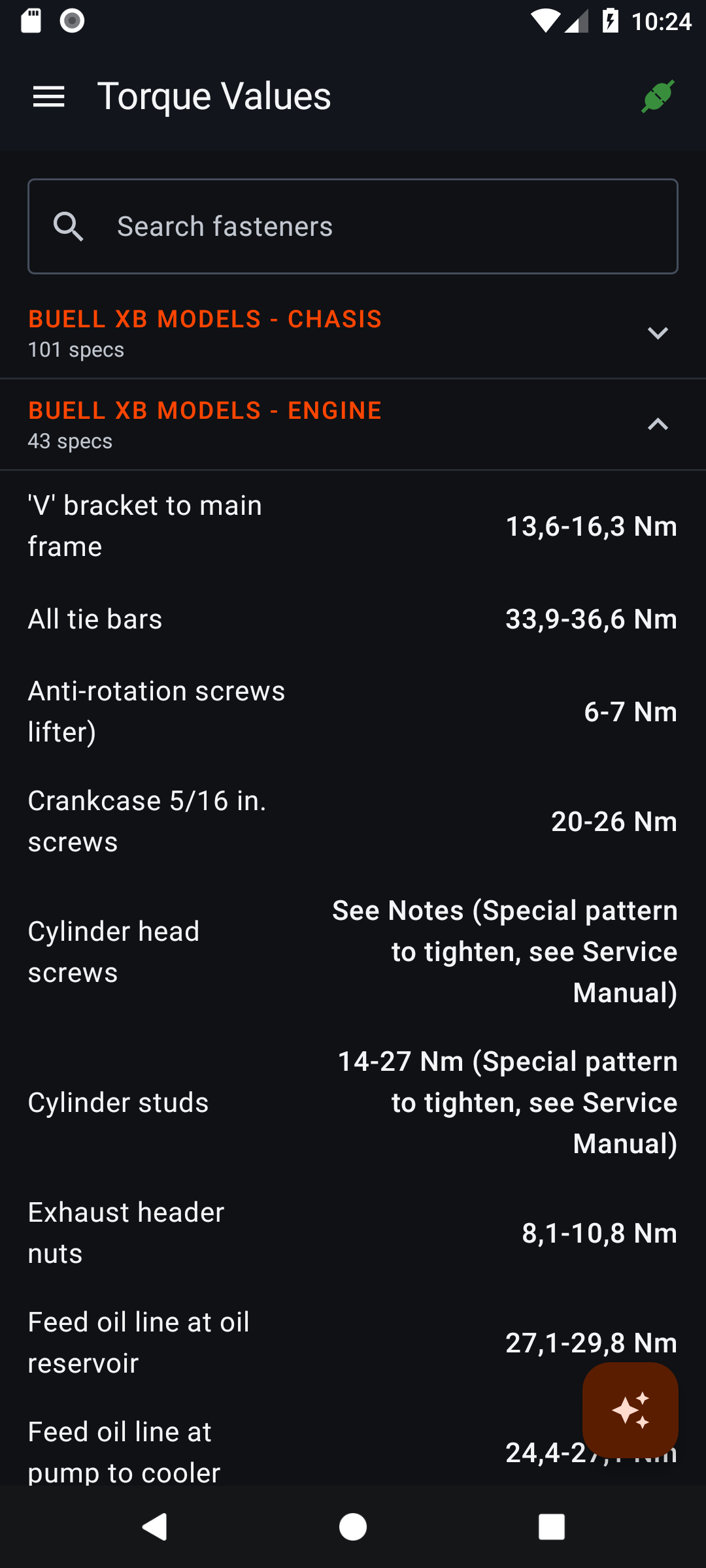 View Torque Values ↗
Look up the built-in Buell XB fastener torque reference without connecting an ECM. Confirm the specification against your bike’s service manual.
Screens are real Android captures. ECM readings come from the built-in simulator, not a live motorcycle connection. Available readings and functions depend on your ECM. Never operate the app while riding.
Your bike. Your connection.
XB Firebolt, Lightning and Ulysses. Fuel-injected tubers. The 1125 twins. BuellTune supports the DDFI, DDFI-2 and DDFI-3 ECM families fitted to the models below.
These are factory model years, not registration dates. Availability varies by market; special editions follow their base model. Features depend on the ECM and firmware actually fitted to your bike, including any replacements or modifications.
DDFI-2: 2003–2007 / DDFI-3: 2008–2010
| Model | Model years |
|---|---|
| XB9R Firebolt | 2003–2007 |
| XB9S Lightning | 2003–2004 |
| XB9SL Lightning Low | 2003–2004 |
| XB9SX Lightning CityX | 2005–2010 |
| XB12R Firebolt | 2004–2010 |
| XB12S Lightning | 2004–2008 |
| XB12Scg Lightning Low | 2005–2010 |
| XB12Ss Lightning Long | 2006–2010 |
| XB12STT Lightning Super TT | 2007–2008 |
| XB12SX Lightning CityX | 2010 |
| XB12X Ulysses | 2006–2010 |
| XB12XT Ulysses Touring | 2008–2010 |
| XB12XP Ulysses Police | 2009–2010 |
DDFI / DDFI-1
| Model | Model years |
|---|---|
| X1 Lightning | 1999–2002 |
| S3 Thunderbolt · fuel-injected | 1999–2002 |
| S3T Thunderbolt Touring · fuel-injected | 2000–2002 |
For 1999, the Thunderbolt’s touring equipment was offered under S3 rather than a separate S3T model.
DDFI-3
| Model | Model years |
|---|---|
| 1125R | 2008–2010 |
| 1125CR | 2009–2010 |
Carbureted models—including Blast, S1/S1W, M2/M2L, S2/S2T and 1997–1998 S3/S3T—are not supported in factory form. Race-only XBRR (2007) and 1125RR (2010), EBR 1190 models and newer Buell platforms are not included in this support list; compatibility has not been established.
This is ECM-family coverage, not a claim that every model, firmware or feature has been individually hardware-tested. Confirm your ECM ID and use a compatible adapter before reading or writing.
Buell model-year production history, ECMSpy’s ECM generation guide and the 1999 Buell model overview. These references identify model years and ECM families, not BuellTune hardware-test results.
First release focus
The next chapter
The same Buell-focused mission, coming to iPhone. Plan on a compatible BLE serial adapter.
Classic Bluetooth Buelltooth and USB serial are not supported by the iOS app. An Android-compatible dongle is not automatically iPhone-compatible.
Compatibility depends on your ECM, firmware, serial profile and wiring. Support for a protocol is not a claim that every adapter has been hardware-tested. Check your exact setup before buying hardware.
Modern diagnostics and tuning, built around the bikes and adapters already in your garage.
A native iPhone experience for the Buell owners who never had an ECMDroid option.
Release announcements, supported hardware news and meaningful development updates. No promised launch date or guaranteed early access.
No. BuellTune carries forward familiar Buell diagnostic concepts in a new app with a modern interface, calibration history, logging and optional AI assistance. It is an independent project, not an official Buell or Buelltooth product.
This is a preview and interest page, not an app-store release announcement. Android comes first, with iOS next. Public release timing, distribution and pricing will be announced when confirmed.
Check the model-and-year list for XB, fuel-injected X1/S3/S3T and 1125 coverage. The ECM and firmware actually fitted to your motorcycle matter, not only its model year. You also need a compatible diagnostic adapter, correct wiring and the correct ECM protocol settings.
No. You choose what to inspect and change. EEPROM writes and active tests require care: incorrect calibration or an interrupted write can damage operation. Back up your original calibration and follow the service procedure for your bike. AI does not autonomously flash or tune the ECM.
AI is optional and uses bring your own key (BYOK): add your own API key for a supported provider, or connect a supported self-hosted server. You choose the provider and model; provider usage charges may apply. Your messages and relevant ECM data go to the provider or server you configure. AI answers are not a substitute for service documentation or mechanical judgment.
For the next miles.
Android release news. The road to iOS. Updates for the people keeping these bikes on the road.
Signup takes two steps. After you enter your email we send a confirmation link, and you are only on the list once you click it. If it has not arrived in a few minutes, check your spam or junk folder.